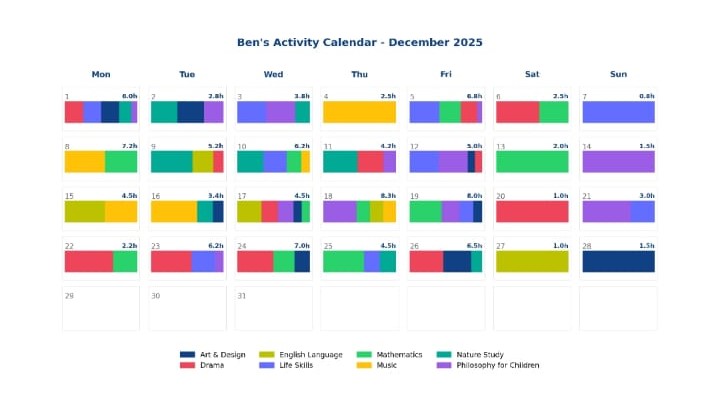
Here are a few snapshots of the weekly and monthly learning summaries. These are in a .doc format and can be downloaded and edited locally to your pc. These can be viewed either on a phone or by using the desktop version.
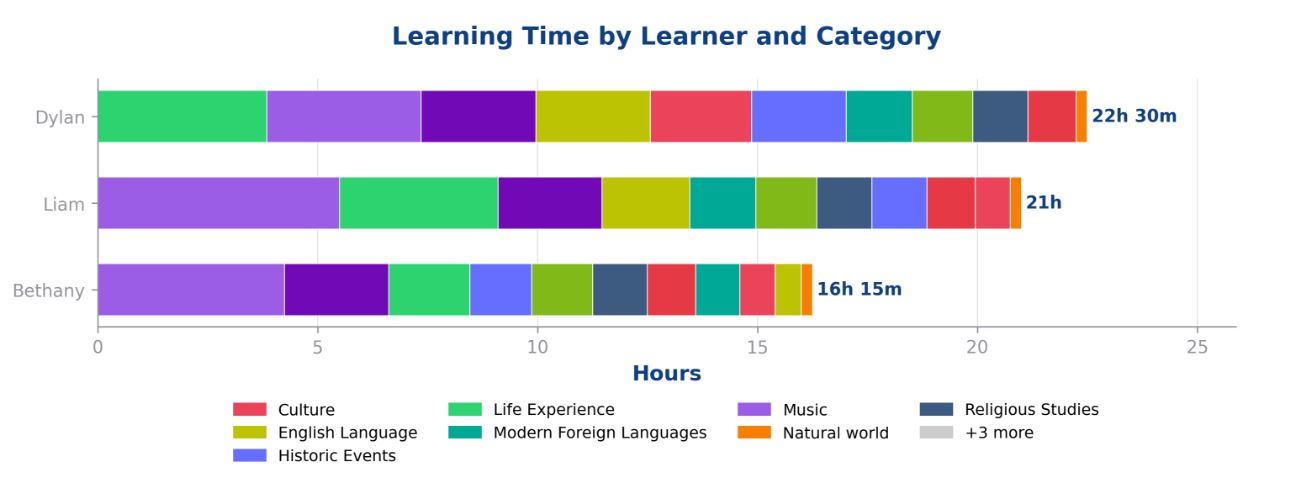
This is in the weekly learning summary and shows an overview of all the learners in your family and how they have spent time during the past week (this uses the categories that you have set up).
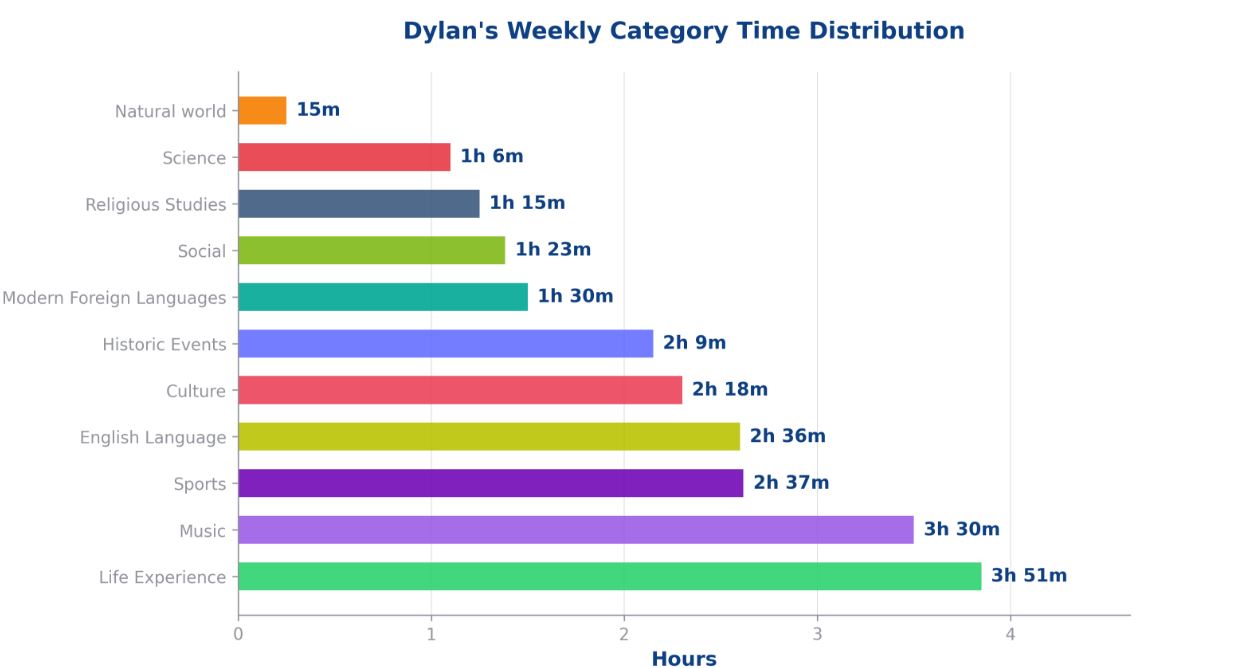
This demonstrates the time spent per category for each learner. When you add an activity, you can assign it to a category such as science. We then collate this for you to give you a useful overview.
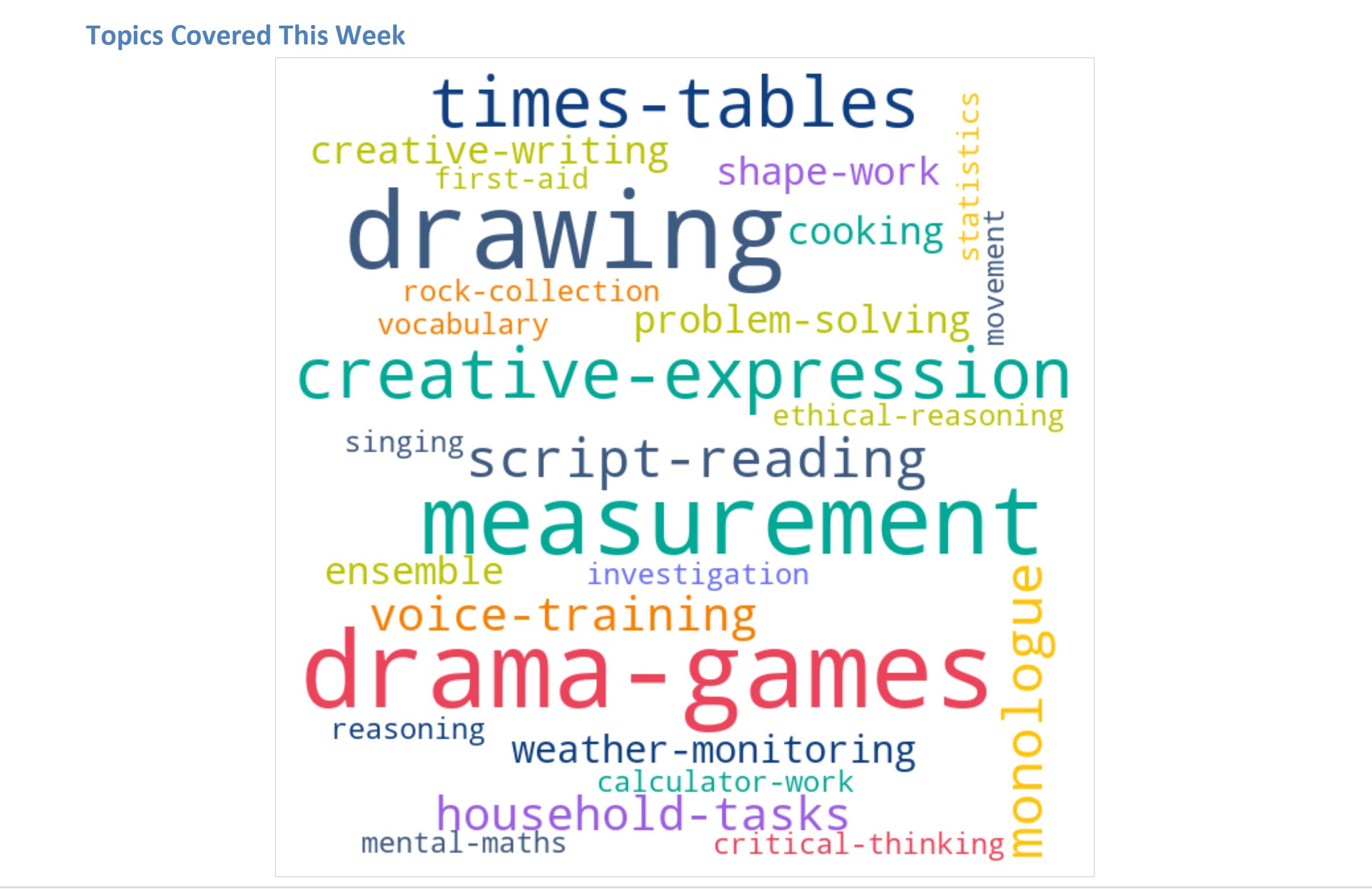
We love the topic tag word map which is included in the weekly learning summary. You can see the different topics you have covered during the week. The topics are added to an activity and can be anything you want.
This is a weekly overview for each individual learner showing the different areas of learning covered.
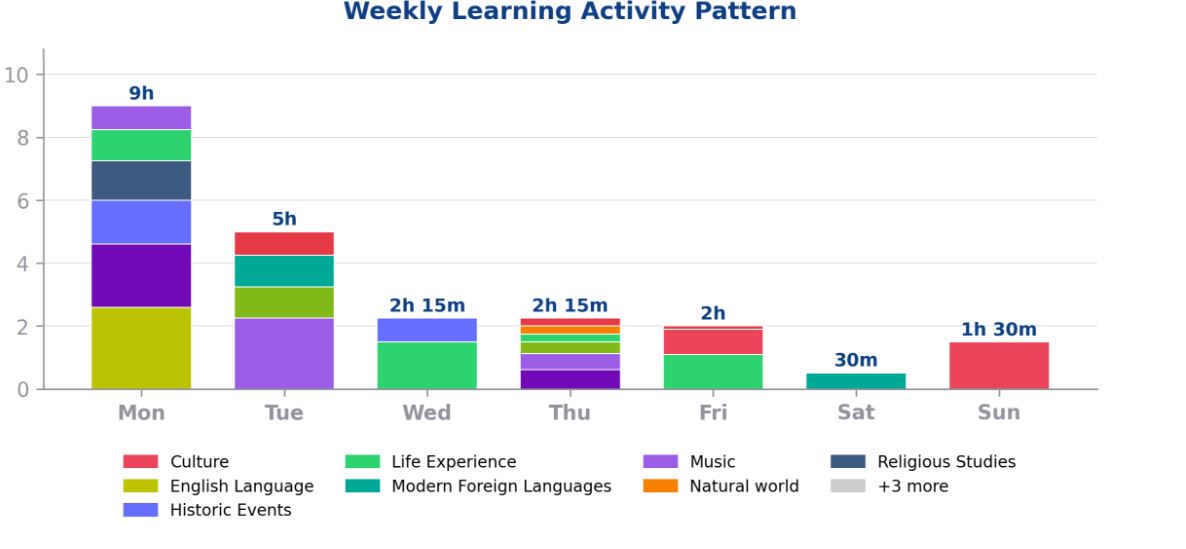
This is from a monthly learning summary. An annual subscription will receive 12 monthly summaries per year. This shows a breakdown of each day in the month and the time allocated to different areas.
Taking time each week to reflect on your family's achievements and progress gives you confidence and peace of mind in your provision.
Want to see more? Check out our video on YouTube: